
SwimDesk Progression Intelligence
Find the swimmers who are stuck in a level
A child who is not moving up is a child who is about to stop. Progression Intelligence compares every swimmer's time in level with how long children at your own centre usually take, and shows coordinators who to review.
- 600,000+ studentshave passed through our systems
- 1 million+ workoutscompleted in FitDesk
- Since 2013an Australian company
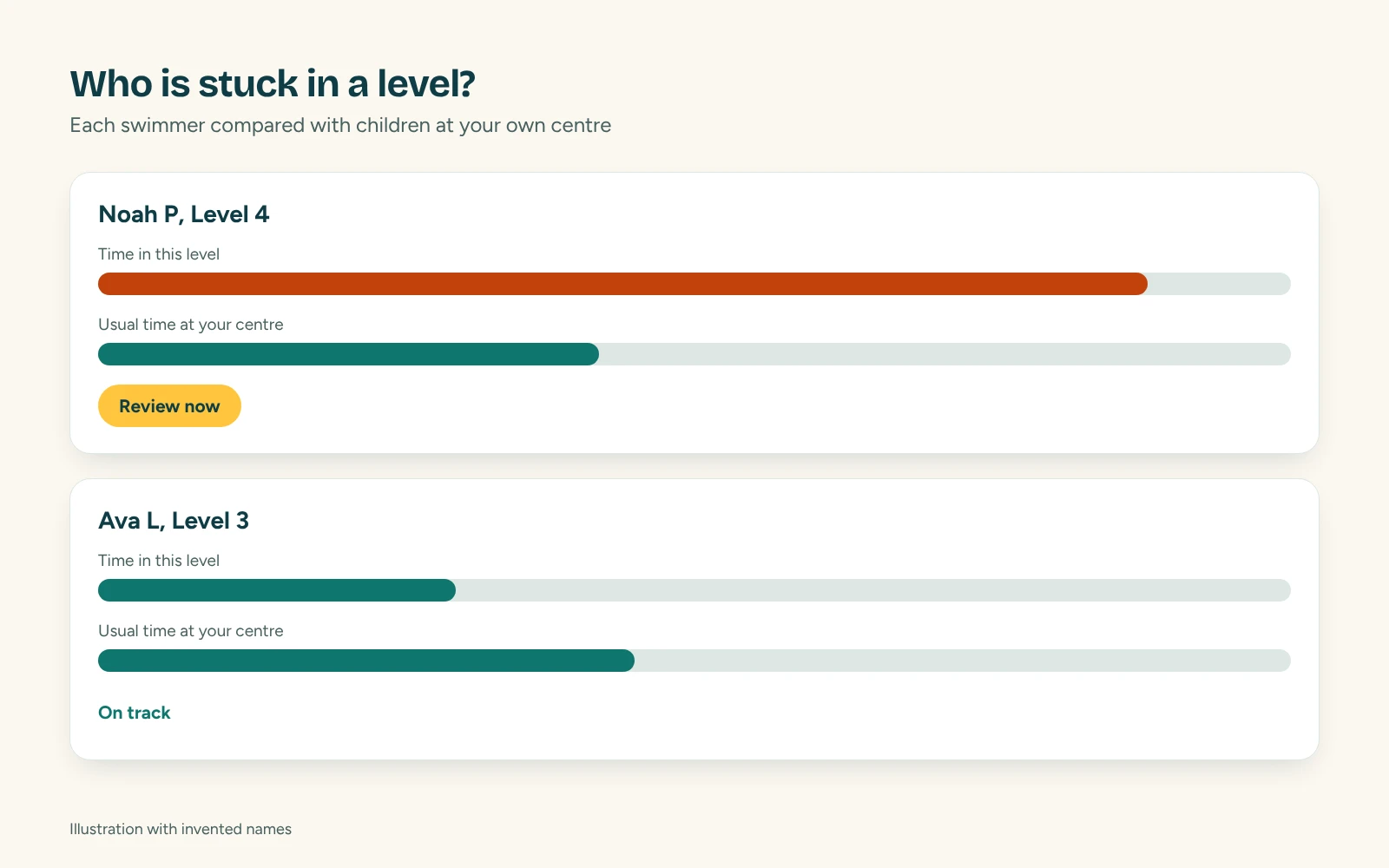
What coordinators see
Review now
Swimmers whose latest assessment says they have not progressed.
Long time in level
Swimmers past the usual time for that level at your centre.
Skill review
Swimmers with few skills recorded for their time in the level.
No assessment
Swimmers who have not been assessed, so nobody is overlooked.
Benchmarks from your own pool
Every centre is different. Progression Intelligence uses your own history of level movements, so a swimmer is compared with children who learnt in the same pool, with the same program.
- Compared with children at your own centre, not a national average
- A clear suggestion for each swimmer: keep watching, check skills or review now
- Export to CSV, Excel or PDF for instructor meetings
Better conversations with instructors and parents
Coordinators can see which classes have the most swimmers waiting on a skill, and talk to the instructor before the parent asks. Parents see progress in the app after every assessment.
What is Progression Intelligence?
A feature of SwimDesk that compares each swimmer's time in level and skills achieved with your own centre's history, and builds a review list of swimmers who are not progressing.
Where do the benchmarks come from?
From historical level movements at your own centre.
Can we export the list?
Yes, to CSV, Excel or PDF.
See it with your own program in mind
Tell us your centre and what you run, and we will show you GreeneDesk in a short demo. After the demo you get a trial for your team. Setup and migration take about two weeks, and we do the move for you.
We do the migration for you. We respond to support requests within 4 hours, and straight away for critical issues.